HMPlot

Force

A force-directed layout of a graph's nodes and edges, simulated live.
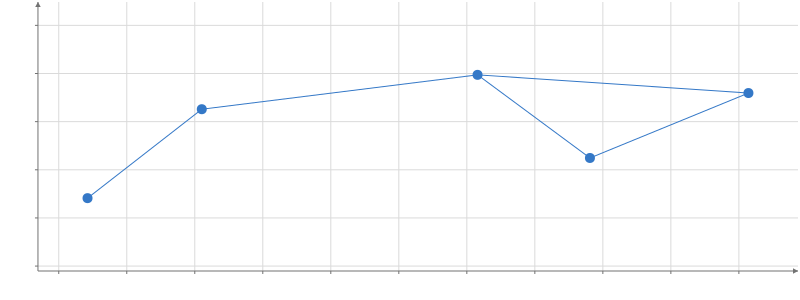
Scatter plot, with segments. x from -53 to 59, y from -62 to 50. 5 points.

Static preview; loading the interactive plot

import hmplot as hm

data = {"source": ["A", "A", "B", "C", "D"], "target": ["B", "C", "C", "D", "E"]}
with hm.Plot(data=data, height=300) as plot:
    with hm.GraphData(source="source", target="target"):
        with hm.Force(warmup=300):
            with hm.Edges():
                hm.Segments(start="start", end="end")
            with hm.Nodes():
                hm.Points(position="position")
plot

Options

Keywords are snake_case.

namestring
Names the layout, so a Facet's settings and getTransform(name) reach it in every cell.
weightcolumn
An edge column of nonnegative weights, each multiplying its link's spring strength.
dimensions2 | 3
Lays the graph out in two or three dimensions. Default: 2.
seednumber
Seeds the random starting positions, so the same graph lays out the same way. Default: 42.
repulsionnumber
How strongly nodes push one another apart. Default: 30.
link_distancenumber
The length each link's spring pulls toward. Default: 30 data units.
spring_strengthnumber
How strongly each link pulls its ends toward link_distance. Default: 0.1.
centeringnumber
How strongly each node is pulled toward the origin. Default: 0.01.
velocity_decaynumber
The fraction of each node's velocity lost per tick, like friction. Default: 0.4.
alphanumber
The simulation's heat, which scales every force and cools each tick; it starts at 1, so bind it to read it rather than set it. Default: 1.
alpha_minnumber
The layout stops once alpha cools below this. Default: 0.001.
alpha_decaynumber
The fraction of the way alpha moves toward alpha_target each tick. Default: 1 - 0.001^(1/300), about 0.0228 (d3's: 300 ticks to cool).
alpha_targetnumber
The alpha the layout cools toward; above alpha_min it keeps running. Default: 0.
forcesobject
Named forces, as d3's (center, manyBody, link, collide, x, y, z, radial). An entry named like a default force updates it, one with a type replaces it, and null removes it. Default: charge, link, and x and y (z in 3D), from the options above.
fixed{x, y, z}
Holds nodes at coordinates from nodes-table columns, expressions or numbers (d3's fx, fy, fz); a non-finite value leaves that node free.
initial{x, y, z}
Starting coordinates from nodes-table columns, expressions or numbers; a non-finite value keeps that node's seeded start.
ticksnumber
Simulation ticks per drawn step. Default: 1.
warmupnumber
Ticks run before the layout is first drawn, so it appears already settled. Default: 0.
runningboolean
Plays (true) or pauses (false) the layout, which otherwise starts paused; a Checkbox's input can drive it.
resetnumber | string
Each change of its value restarts the layout from its starting positions; a Button's input can drive it.
reheatnumber | string
Each change of its value reheats the layout (alpha back to 1), so it moves again.
stepnumber | string
Each change of its value pauses the layout and advances it one step.
releasenumber | string
Each change of its value frees every pinned node.

Usage

Provides Nodes and Edges scopes. Initializes paused. running plays and pauses it, and each change of step, reset, reheat or release runs that action once, so a Checkbox and Buttons can drive it: running={input("run")}, reset={input("reset")}. The handle’s action(id) does the same from code. Defaults include seed 42, link distance 30, repulsion 30, and velocity decay 0.4. Supports 2D/3D and node dragging; topology changes reset the layout.

Requires graph data from GraphData. Outputs are visible to children only. Transforms retain the previous complete result while an update prepares. To let the viewer change a setting, read an input in it: repulsion={input("repulsion")} (Python repulsion=hm.input.repulsion), where repulsion is a Slider.

Related examples

Force layout · 2D

Layered forces