Template
A reusable pattern of components, built by a class or function, with a slot for the caller's children.
Python only. Svelte pages lay this out with HTML and CSS.
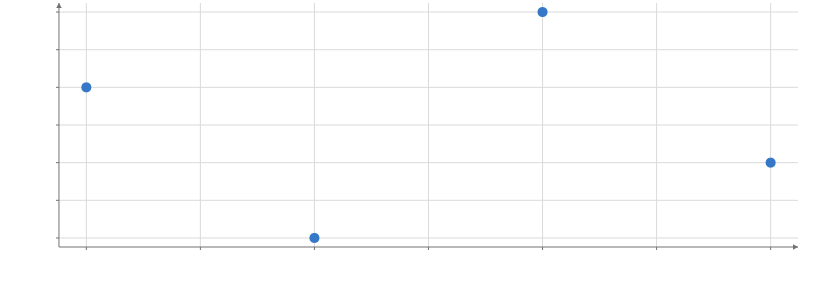
Static preview; loading the interactive plot
import hmplot as hm


class Panel(hm.Template):
    def build(self, data):
        with hm.Plot(data=data, height=300, axes2d=True):
            hm.slot()


data = {"x": [1, 2, 3, 4], "y": [3, 1, 4, 2]}
with Panel(data) as panel:
    hm.Points(x="x", y="y")
panel
Usage
A template packages existing components as a reusable node. Use @hm.template for a function,
or subclass hm.Template and construct the pattern in build(self, ...). Its signature and
Python defaults are the build’s. It can compose marks inside a Plot, or a non-mark pattern
such as Calculate → Plot → slot, placed in a Row. It adds no numerical or rendering operation.
Calling it builds immediately and attaches it to the current context. Create new components each time; one component cannot belong to two instances. Each instance has independent nodes, parts, slot and input names. A shared host table still shares its interaction state.
Parameters, main part and named parts
The template’s own marks determine its mark contract; the caller’s slot children do not.
| Declaration | Behavior |
|---|---|
| One mark, no explicit main | That mark is the main part, even below containers. |
hm.contract(main=mark, parts={"band": band}) | Declares one main part and names components for instance.part("band"). A nested template can be main; its main mark is used. Call contract once during the build. |
Keywords not taken by build() | Forward to the main mark. A band={...} keyword overrides the named part’s props. Part names must differ from build parameters and main-mark props. A build accepting **kwargs handles its own forwarding. |
| Several marks and no main | A group: visible= controls its marks; other undeclared props and operations needing one mark raise. Use its named parts instead. |
Mark events, selections, endpoint() and hm.connect() use the main mark. A declared main
also supplies references such as Legend(target=instance). Without a declared main, references
use the single top-level node, with an only-mark fallback for a Legend. Exports and camera
commands use the single top-level node; expose a specific Plot as a class attribute when a
larger pattern needs that Plot’s handles.
Children and updates
Call hm.slot() once in the component scope where children belong. with instance:, add, remove and clear act on that slot; children retain its data/frame scopes and draw position. clear() leaves the template’s own components intact. children lists the template’s own
top-level nodes, and slot.children the caller’s children. Without a slot, with and add raise. There is one unnamed slot, not a separate slot for each named part.
instance.update(**params) is supported after its own with block closes. It merges parameters
and forwarded properties into the original call and rebuilds in place. Components matched by
kind and position keep IDs, handles and externally registered callbacks; caller children move
to the rebuilt slot. A failed build preserves the previous instance. Parts’ direct edits and
settings reset to the new build’s declarations. Nested templates rebuild with their parent.
Settings and legends
Inside a Plot, a mark template has a settings group: with a main part, its controls represent
the template and helper rows are hidden; without a main, parts are listed. View/layout
patterns retain their own settings structure. Build parameters do not automatically create
settings-pane controls; use update() or a part’s existing controls.
The main mark supplies the legend entry. Helper marks default to legend=False and follow
its effective visibility unless they explicitly set their own choices. A group can instead
call hm.contract(legend_entries=[{"label": "Range", "swatch": band, "parts": [band, points]}]) to make one entry control several marks; this cannot be combined with main=. Slot children
keep their own legend and visibility behavior.
Portable files and other extensions
Build a fresh instance with explicit hm.template_param("name", default=...) markers, an
empty slot and no callbacks, then call export_template(path). hm.load_template(path) returns a callable Template class in Python; PortableTemplate loads
it in Svelte. The tree, parameters and contracts travel; Python methods, arbitrary resources
and build-time branching do not. Reattach host callbacks after loading.
The repository’s docs/PORTABLE-TEMPLATES.md authoring guide has tested mark and non-mark
examples, file limits and repository-local JavaScript definitions. A template composes
existing operations; a plug-in adds numerical execution,
layout, effects or shading through its own extension contract.